
Camel Calculator — How Many Camels Am I Worth?
The Camel Calculator is a fun, viral tool that estimates how many camels you’re “worth” based on your personality sliders, with optional appearance and lifestyle inputs layered in. This online camel calculator is made for entertainment and social sharing only. It does not reflect real-world value, culture, or tradition.
Behind the scenes, your score starts with personality. From there, optional details can nudge things up or down if you choose to use them. You get a clear camel score, a tier name, and a short explanation that’s easy to share. No account. No forms. No friction. Just a quick result that’s meant to spark curiosity and a smile.
- Purpose: Fun & lifestyle comparison
- Result range: 1–100 camels
- Accuracy: Entertainment only
- Updated Feb 14, 2026
Camel Calculator
Use this camel calculator to see how many camels you are worth. Add optional details for a sharper camel worth calculator score.
Balanced vibes. Strong potential. Keep going.
Your score is mostly driven by personality.
Style details can add a small boost.
Optional traits stay optional.
What Your Camel Calculator Result Means
Your Camel Calculator result shows your score on a scale from 1 to 100 camels. This number reflects how your personality inputs and any optional details combine into one playful result. It is not a real-world value. It is built for fun, curiosity, and sharing.
How to read your result:
- A lower score points to a calm, balanced profile with few boosts.
- A mid-range score shows strong personality traits with light influence from extras.
- A higher score reflects high engagement across personality and selected optional details.
Sample interpretations:
- 38 camels → A steady profile driven mainly by personality sliders.
- 72 camels → A high-energy result where personality and optional inputs both add weight.
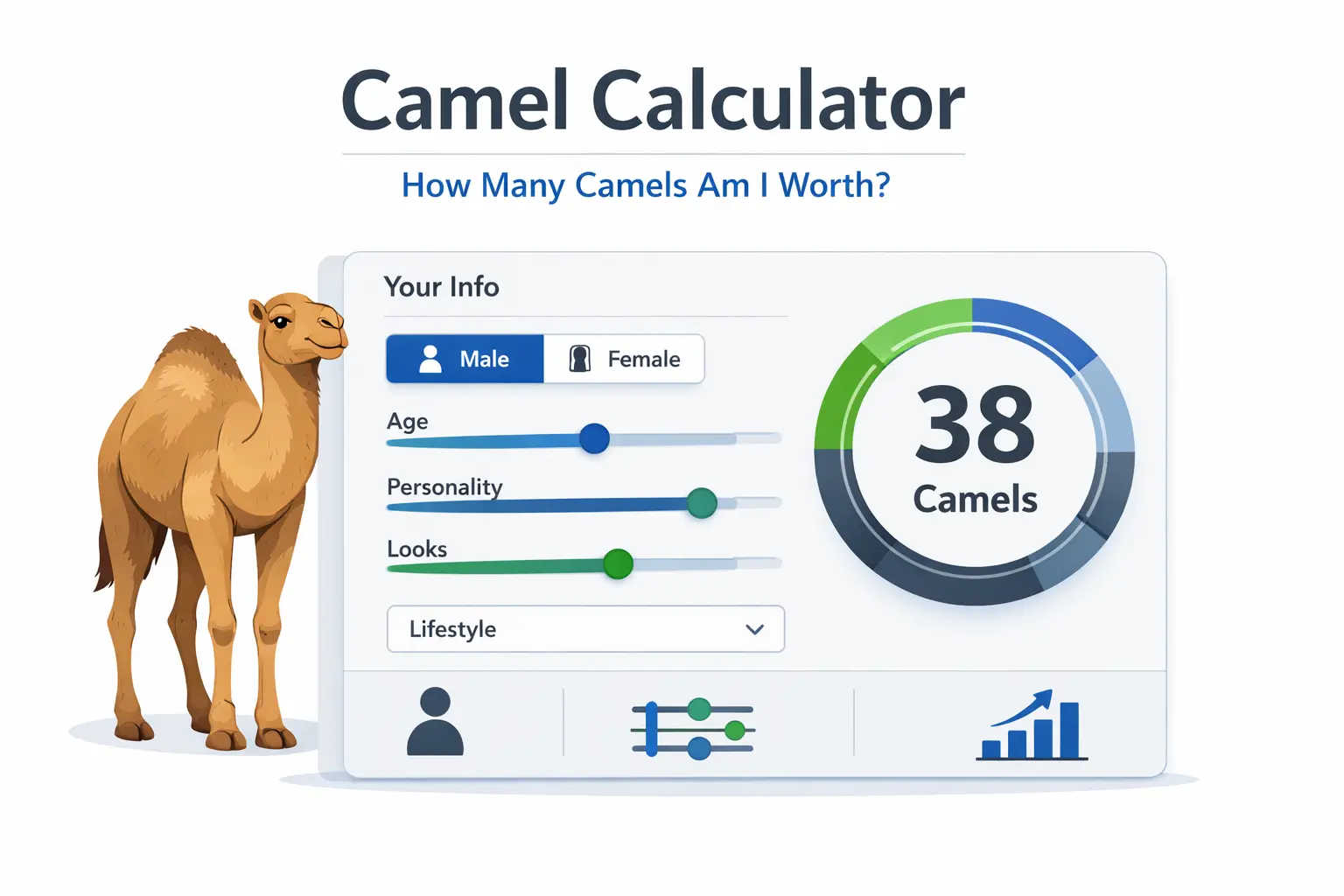
Set Age: 28, leave all sliders at default, and click Calculate.
You should see a mid-range camel score, mostly powered by personality.
Then add height or one optional detail and recalculate to see how the score shifts.
Explore More Calculators
CGPA Calculator
Calculate your cumulative GPA and semester-wise average using an accurate academic formula.
Study Hours Calculator
Plan how many hours you need to study daily to meet your exam or semester goals.
GPA to Percentage Calculator
Instantly convert GPA scores into percentage grades using U.S. and Indian conversion rules.
Marks Percentage Calculator
Convert your attendance percentage into internal marks for college or school grading.
Class Participation Tracker
Track your classroom participation and attendance side by side to boost performance.
How to use the Camel Calculator
The Camel Calculator is built to work in real time. You add one basic detail, adjust a few sliders, and instantly see how your camel score changes. This online camel calculator reacts to every input, so you can test, tweak, and learn as you go.
Enter your age or height
Start by entering your age or your height. You only need one. This unlocks the calculation and sets the base context for your camel score.
Adjust the personality sliders
Move the sliders for confidence, kindness, humor, hustle, and style. These are the most important factors and carry the highest weight in the camel calculator.
Add optional details (only if you want)
Open Physical profile, Style and grooming, or Extras. These fields are optional and only count if you actively select them. Skipping them keeps your result simple.
Click the Calculate button
Click Calculate to generate your result. The calculator switches to the results view without reloading the page.
Review your camel score and breakdown
You’ll see your camel score, tier level, and a percentage breakdown showing what influenced the result most.
Real-time test example (try this in the calculator)
- Age: 34
- Personality sliders:
- Confidence: 7
- Kindness: 6
- Humor: 5
- Hustle: 7
- Style: 6
- Do not select any optional physical, style, or extras fields
- Click Calculate
Expected result range:
- Camel score: mid to high 40s
- Tier: Caravan Captain or Dune Icon
- Personality: dominant factor
- Extras: low or minimal
- Bonus: 0%
This example shows how the online camel calculator weighs personality first, then adjusts slightly based on age and balance.
After this test, try changing one slider or adding a single optional detail to see how your camel score shifts.
How the Camel Calculator Formula Works (Complete Breakdown)
The Camel Calculator uses a weighted scoring model. It combines personality traits with a few optional adjustments to produce a final score between 1 and 100 camels. This formula is designed for fun and comparison, not real-world valuation. Every input plays a role, but personality always carries the most weight.
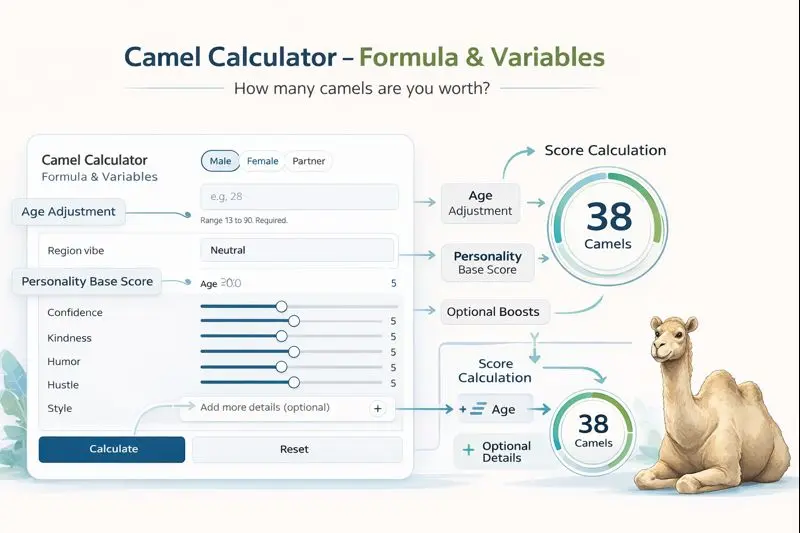
1. Camel Calculator Formula & Variables
At a high level, the calculation works like this:
					Camel Score =
Base Personality Score
+ Age Adjustment
+ Region Adjustment
+ Optional Details Boost
2. Base Personality Score (Primary Factor)
Personality is the foundation of the Camel Calculator. This part of the formula contributes the largest share of your final score.
Personality Inputs Used
The calculator uses five personality sliders:
- Confidence
- Kindness
- Humor
- Hustle
- Style
Each slider reflects how strongly that trait applies to you.
How Personality Is Scored
Every slider uses the same scale. All five values are combined into one base score. This base score determines your starting camel range. If two users only adjust personality sliders, their results will already differ meaningfully. Everything else fine-tunes this base.
3. Age Adjustment Variable
Age adds context, not dominance.
Why Age Affects the Camel Score
Age helps balance results across life stages. It prevents unrealistic comparisons and keeps scores feeling natural.
Age Ranges and Influence
- Teens: small adjustment
- 20s–30s: moderate boost
- 40s–50s: balanced influence
Age never overrides personality. It only nudges the score slightly.
4. Region Adjustment (Optional)
The region input adds a vibe-based adjustment.
What the Region Variable Represents
- Lifestyle context
- Environment and social setting
- Light, fun flavor only
How Much Region Impacts the Result
- Very small impact
- Acts as a minor modifier
- Does not affect score tiers on its own
This input exists for variety and experimentation.
5. Optional Details Boost
(Physical Profile, Style & Extras)
Optional details allow users to personalize results further — but only when used intentionally.
When Optional Details Are Counted
- Optional fields do not count by default
- They only affect the score after the user actively selects values
- Empty or untouched fields add zero points
This prevents accidental score inflation.
Categories of Optional Inputs
Optional details are grouped into three areas:
- Physical profile
- Style and grooming
- Extras like presence and first impression
Each category contributes a small, capped boost.
Why Optional Inputs Have Limited Weight
- Keeps results fair
- Prevents gaming the calculator
- Encourages exploration without pressure
Personality always remains the core driver.
6. Another Example Calculation (Step-by-Step)
Let’s see how the online camel calculator works using a real example. This will help you understand this tool.
Given:
- Age: 32
- Personality sliders: mostly mid to high
- Optional details: none selected
Calculation:
					Personality score creates the base camel range
Age adds a small adjustment
No optional boosts are applied
Result:
- Camel Score: 39 camels
- Tier: Caravan Captain
How the Final Camel Score Is Interpreted (Meaning)
Camel scores are range-based, not exact measurements. The Small input changes can shift results slightly. And two users with similar traits may land close, not identical. Plus, Scores reflect balance, not perfection. And the goal is to explore how different traits shape your outcome — and have fun doing it.
More Examples & Use Cases
Below are realistic, hands-on examples that show how people actually use the Camel Calculator. Each one highlights a different intent, without repeating earlier test cases, and matches how the calculator behaves in real time.
Example 1: Quick Curiosity Check
Use case: “I just want to see my camel score.”
Inputs
- Age: 24
- Personality sliders: default
- Optional details: none
What happens
- The calculator uses personality as the base
- Age adds a small adjustment
- No extras are counted
Result
- A mid-range camel score
- Explanation shows personality as the main driver
Why this matters
This is the fastest way to use the camel calculator online. Many users stop here, share the result, and move on.
Example 2: Fine-Tuning the Result
Use case: “What changes if I add more details?”
Inputs
- Height: 5′10″
- Personality sliders: slightly above average
- Optional details: physical profile only
What happens
- Height activates the optional scoring logic
- Physical inputs add small boosts
- Personality still dominates
Result
- A noticeably higher camel score
- Breakdown shows personality + physical influence
Why this matters
This example shows how the camel calculator worth changes only when users intentionally add details.
Example 3: Social Sharing & Comparison
Use case: “Let’s compare scores with friends.”
Inputs
- Age: 35
- Personality sliders: mixed
- Optional details: style and extras selected
What happens
- Multiple optional sections are used
- Style and extras add limited boosts
- Score stays within a realistic range
Result
- A high camel score
- Clear explanation of what helped most
Why this matters
This is where the camel calculator how many camels am I worth query shines. Users can compare results fairly without breaking the system.
When to Use Each Approach
- Just curious? Use age or height only
- Want detail? Add one optional section
- Sharing online? Explore all inputs, then copy your result
These examples show that the original camel calculator adapts to different user goals while keeping results consistent and fun.
Result Benchmarks and Ranges
This table helps you understand what your camel score actually represents. The Camel Calculator uses a 1–100 scale. Higher scores reflect stronger personality signals and added optional boosts. It’s all for fun, comparison, and sharing.
| Camel Score Range | Tier | Meaning | Vibe Summary | Notes |
|---|---|---|---|---|
| 1–10 | Desert Starter | Low-key and calm personality signals. | Quiet, grounded, and steady. | Great baseline score. Optional details can add depth. |
| 11–25 | Oasis Builder | Balanced traits with friendly energy. | Approachable and easy to trust. | Common range for minimal input users. |
| 26–45 | Caravan Captain | Strong personality presence. | Natural leadership and confidence. | Often achieved with age or slider input alone. |
| 46–70 | Dune Icon | High-impact personality with positive traits. | Confident, kind, and memorable. | Optional details usually contribute here. |
| 71–100 | Sandstorm Legend | Top-tier camel score. | Standout presence with strong balance. | Max scores require multiple intentional inputs. |
Reminder: Camel scores are for fun and comparison only. They do not represent real-world value, culture, or judgment.
Interpretation
Use the camel score table to understand where your result fits at a glance. Compare your camel score with friends or partners. Adjust sliders or inputs and recalculate to see how different traits move you between ranges. It’s a fast reference for context and sharing.
Pro Tip:
For more interesting results, change only one input at a time and recalculate. This helps you see which factors influence your camel score the most. Use this approach before sharing your result so you can explain what actually changed your score.
Explore More Calculators
CGPA Calculator
Calculate your cumulative GPA and semester-wise average using an accurate academic formula.
Study Hours Calculator
Plan how many hours you need to study daily to meet your exam or semester goals.
GPA to Percentage Calculator
Instantly convert GPA scores into percentage grades using U.S. and Indian conversion rules.
Marks Percentage Calculator
Convert your attendance percentage into internal marks for college or school grading.
Class Participation Tracker
Track your classroom participation and attendance side by side to boost performance.
Common Mistakes to Avoid When Calculating Attendance
Many users misread how the camel calculator works on their first try. These quick points help you get accurate results, avoid confusion, and understand the score exactly as the tool intends.
- Skipping both age and height, which prevents the calculator from running correctly. At least one is required.
- Treating the camel score as a real-world value, instead of a fun lifestyle comparison.
- Expecting optional fields to affect results without actively selecting or changing them.
- Mixing entertainment results with cultural or symbolic meanings, which this calculator does not represent.

Frequently Asked Questions (FAQs)
What is the camel calculator?
The camel calculator is a fun online tool that estimates how many camels you are “worth” based on personality traits and optional lifestyle details. It is designed for entertainment and social sharing, not real-world value or cultural meaning.
How does the camel calculator work?
The camel calculator works by combining your personality slider scores with basic inputs like age or height. Optional details only count if you change them. The system then converts everything into a camel score between 1 and 100. It recalculates instantly when you adjust inputs. This helps you see how small changes affect your final result.
Is the camel calculator real?
The camel calculator is real as an online tool, but the result is not real-world value. It does not measure money, culture, or status. It is built only for fun, curiosity, and sharing with friends. Think of it as a playful comparison tool. It is not meant for serious decisions or personal judgment.
How many camels am I worth?
How many camels you are worth depends on your inputs in the camel calculator. Your personality sliders create the base score. Age or height adds small adjustments. Optional details only count when you change them. Most results fall between 20 and 70 camels. Your exact score updates instantly when you adjust the inputs.
Is this the original camel calculator?
This page hosts the original camel calculator experience on 100calc.com. It uses a clear scoring system and real input controls. The calculator updates results in real time and explains what affects the score. Many copies exist online. Most lack transparency or breakdowns. This version focuses on clarity, control, and user understanding.
Does gender change the camel score?
Gender can change which options you see in the camel calculator. Some fields appear or hide based on your selection. The core score still comes from personality sliders and basic inputs. Gender does not guarantee a higher or lower result. It only adjusts how certain optional details are applied.
Is the camel calculator accurate?
The camel calculator is accurate for entertainment purposes only. It follows a consistent scoring system based on your inputs. It does not measure real value or cultural meaning. The results help you compare scores and have fun. They are not meant for serious decisions or real-world use.
Questions?
We had love to hear from you! Whether you are reporting an issue, suggesting a new calculator, or exploring collaboration opportunities — we are here to help. Every message helps us make 100calc smarter, faster, and more helpful for everyone.
Why People Trust 100calc
At 100calc.com, we focus on accuracy, speed, and trust. Every calculator we create is designed to give reliable, instant, and easy-to-understand results you can truly depend on.