
NUST CGPA Calculator: See Your GPA, CGPA and What Comes Next
The NUST CGPA Calculator estimates your semester GPA (SGPA) or updated CGPA from NUST grade points and course credit hours. Choose your program, enter the letter grades already awarded by NUST, and add your previous academic record when checking cumulative CGPA. The calculator uses credit-weighted quality points and shows results on a 4.00 scale.
A small change in a high-credit course can move your result more than you expect. Check your number before you plan the next semester, compare it with the reference for your program, or view the HEC percentage band linked to your CGPA. Because NUST uses relative grading in the programs covered here, this tool does not turn raw marks into a fixed letter grade.
Quick Facts
- GPA Scale: 0.00 to 4.00
- Main Modes: Semester SGPA and Updated CGPA
- Course Inputs: NUST grade points and credit hours
- CGPA History: Current CGPA or Total Quality Points
- Percentage Mode: HEC reference range
- Updated Aug 22, 2026
NUST GPA & CGPA Calculator
Estimate semester SGPA or updated CGPA using NUST grade points and course credit hours. NUST uses relative grading, so enter the awarded letter grade or a known published grade point rather than trying to convert raw marks into a fixed letter grade.
Program choice changes result context and available grade options. It does not change the credit-weighted GPA formula.
Current CGPA mode rebuilds previous quality points from the CGPA you enter. Because a displayed CGPA may already be rounded, the updated result is an estimate.
Enter a CGPA out of 4.00 to see the corresponding HEC percentage reference range. This is a conversion reference, not a reconstruction of the percentage or marks originally awarded by NUST.
Your NUST Estimate
Calculated from the values you enter.
Calculation Breakdown
Which NUST GPA System Should You Use?
Choose the program reference that matches your NUST degree. The GPA calculation still uses credit-weighted grade points, but available grades and the main CGPA reference differ between undergraduate, Business and Social Sciences, Master’s, and PhD study.
| Program Reference | Grade Options | Main CGPA Reference | Use This For | Notes |
|---|---|---|---|---|
| Undergraduate, General | A, B+, B, C+, C, D+, D, F | 2.00 | Most supported undergraduate programs. | Choose this for the calculator's General UG reference. |
| UG Business / Management / Social Sciences | A, B+, B, C+, C, D+, D, F | 2.50 | Business, Management, and Social Sciences undergraduate programs. | Uses a higher degree CGPA reference than General UG. |
| Master's, MS/MPhil | A, B+, B, C+, C, F | 3.00 | Supported Master's and MPhil programs. | D+ and D are not available in the calculator for postgraduate study. |
| PhD | A, B+, B, C+, C, F | 3.50 | PhD coursework and cumulative reference checks. | Use the PhD option when reading the calculator's doctoral result context. |
Heads-up: Choose the program reference that matches your degree. The GPA formula stays credit-weighted, but available grades and academic benchmarks can differ by program.
Where the HEC % Reference Fits
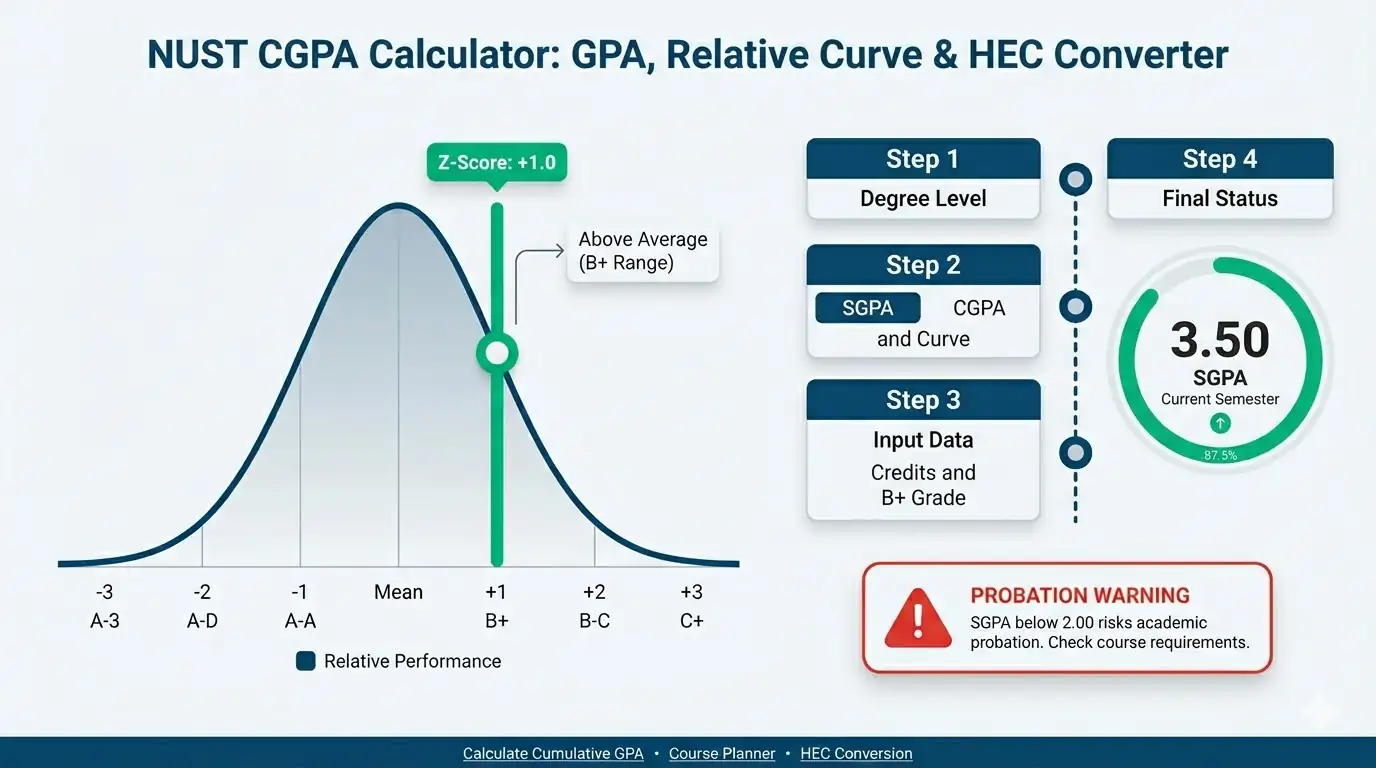
HEC % Reference is not another NUST GPA system. It is a separate calculator mode that places an entered CGPA into a percentage reference range. Use it for conversion context, not as an exact NUST transcript percentage.
What Does Your NUST GPA or CGPA Result Mean?
Your result tells you how your entered NUST grades affect your academic record. Semester GPA (SGPA) measures the courses from one semester. Updated CGPA combines that semester with your previous record.
The HEC percentage result means something different. It shows a percentage reference band for your CGPA. It does not recreate the marks or percentage originally awarded by NUST.
Semester GPA vs Updated CGPA
A high semester GPA does not mean your cumulative CGPA will become equally high. Your previous semesters still carry weight.
Students with many completed credit hours usually see smaller CGPA changes. A new semester has less influence because it becomes one part of a much larger academic record.
This matters when planning improvement. A strong SGPA can raise your CGPA, but the size of that increase depends on your previous GPA credits.
Why the Same CGPA Can Mean Different Things
There is no single NUST CGPA range that means the same thing for every program. Your degree level changes how you should read the result.
A 2.92 CGPA shows the difference clearly:
General Undergraduate: Above the 2.00 degree CGPA reference.
Business, Management or Social Sciences UG: Above the 2.50 degree reference.
Master’s: Falls within the 2.50 to 2.99 probation range.
PhD: Below the 3.50 coursework CGPA requirement.
So, calling 2.92 simply “good” or “bad” would be misleading. Compare your result with the reference for your own program.
Quick Example to Test: 2.92 Updated CGPA
Select Undergraduate (General) and Updated CGPA.
Use:
- Current CGPA: 2.85
- Previous GPA Credits: 60
- A, 3 credits
- B+, 3 credits
- B, 3 credits
- C+, 3 credits
The calculator returns an estimated 2.92 CGPA.
For General UG, that sits above the 2.00 reference. If your goal is a higher CGPA, focus on strong grades in higher-credit courses during future semesters.
Current CGPA Mode Is an Estimate
When you enter your current CGPA, the calculator rebuilds your earlier quality points using:
Previous Quality Points = Current CGPA × Previous GPA Credits
A displayed CGPA may already be rounded. That can create a small difference between this estimate and your processed university record.
Use Total Quality Points instead when you have them. This avoids rebuilding your previous record from a rounded CGPA.
What the HEC Percentage Result Means
The percentage mode shows an HEC reference range, not an exact NUST percentage.
A 3.50 CGPA, for instance, falls within the calculator’s 80 to 89% reference band. That does not mean NUST originally awarded you a specific percentage inside that range.
Use this result when you need a quick conversion reference. For applications or official checks, rely on the percentage, CGPA, or equivalence shown on the required university or HEC document.
Explore More Calculators
Use the CGPA Calculator to calculate CGPA from GPA or SGPA, convert CGPA to percentage or 4.0 GPA, and plan your target CGPA. Works…
Try calculatorCalculate your GPA instantly using 4.0, percentage, or university scales. Accurate results with credits, conversions, and global GPA comparison.
Try calculatorApplying to Germany? Use our free CGPA to German Grade Calculator. Convert your 10.0 or 4.0 scale instantly to see if you meet the…
Try calculatorUse this college GPA calculator to check semester, cumulative, and major GPA fast. Add grades, credits, retakes, and pass failed courses in one place.
Try calculatorUse the COMSATS CGPA Calculator to check semester SGPA, updated CGPA, required final marks, and the GPA needed to reach your academic target in…
Try calculatorFAST CGPA Calculator estimates your SGPA, updated CGPA, repeat-course impact, and required next GPA so you can plan your academic recovery.
Try calculatorHow to Use the NUST CGPA Calculator
The NUST CGPA Calculator works in five simple parts. Choose the right academic setup, enter the grades and credits that apply to you, then review the estimate built from that record.

Choose Your Program
Select Undergraduate (General), Business / Management / Social Sciences UG, Master’s, or PhD. Your choice controls the available NUST grade points and the reference shown with a cumulative result. It does not change the credit-weighted GPA calculation itself.
Pick a Calculation
Choose Semester SGPA to check one semester or Updated CGPA to combine new courses with your previous record. Select HEC % Reference when you only need a percentage range linked to an existing CGPA.
Enter Your Academic Record
For Updated CGPA, add your current CGPA and previous GPA credits. If you already know your previous total quality points, select that method instead. Using total quality points avoids rebuilding your earlier record from a CGPA that may already be rounded.
Add Your Courses
Enter the credit hours and NUST grade already awarded for each course. The calculator gives more weight to courses with more credits and builds semester quality points from the valid rows. Leave unused course rows without a selected grade and they will not affect the result.
Read Your Result
Review your semester SGPA or estimated updated CGPA, along with the GPA credits and quality points used. Cumulative mode also shows the reference linked to your selected program. HEC mode returns a percentage band rather than an exact NUST percentage.
Quick Example to Test
Try these sample values in the calculator:
- Program Reference: Undergraduate (General)
Calculation Mode: Semester SGPA
Course 1: 3 credit hours, A (4.00)
Course 2: 4 credit hours, B+ (3.50)
Course 3: 2 credit hours, C+ (2.50)
Result:
Your semester quality points are:
3 × 4.00 = 12.00
4 × 3.50 = 14.00
2 × 2.50 = 5.00
That gives 31.00 quality points across 9 GPA credits.
Your estimated Semester SGPA is 3.44.
This result covers only the courses entered for this semester. It does not replace your cumulative CGPA or determine your full academic standing.
Now enter your own NUST grades and credit hours to see how your semester result changes.
Accuracy Behind the NUST CGPA Calculator
The NUST CGPA Calculator uses NUST’s published grade-point values with credit-weighted GPA logic. It keeps semester GPA, cumulative history, program references, and HEC percentage bands separate. This reduces common mistakes such as giving every course equal weight or treating a percentage range as an exact NUST mark.
Key Features & Benefits
- NUST grade points: Uses the supported grade values for the program you select.
- Credit weighting: Gives higher-credit courses more influence on your GPA result.
- Two CGPA methods: Works from current CGPA or previous total quality points.
- Program context: Keeps undergraduate, Master’s, and PhD references separate.
- HEC reference bands: Shows a percentage range without inventing an exact NUST percentage.
Technical Process
Input Capture
Checks CGPA values, credit hours, grade points, and previous academic history before using them in the calculation.
Weighted Math
Processes each valid course using its grade point and credit weight, then builds the semester or cumulative result.
Context Mapping
Connects the final value with the selected program reference or HEC percentage band so the result has the right context.
How the NUST GPA and CGPA Formula Works (Complete Breakdown)
The NUST CGPA Calculator uses credit-weighted grade points. Each course earns quality points based on its grade and credit hours. Semester GPA uses only the current courses. Updated CGPA also includes your previous academic record. The HEC percentage option uses fixed reference bands rather than an exact percentage formula.
Course Quality Points
This formula powers the main calculation engine. It converts your course grades into a final academic score.
Course Quality Points = Grade Point × Course Credit Hours
Course quality points show how much one course contributes to your GPA. A course with more credit hours carries more weight, even when two courses have the same grade.
Semester GPA Formula
Semester GPA = Total Semester Quality Points ÷ Total Semester GPA Credits
The calculator adds the quality points from every valid course. It then divides that total by the credit hours counted for the semester.
A 4-credit course affects the final GPA more than a 2-credit course because its grade is weighted twice as heavily.
Updated CGPA Using Current CGPA
When you enter your current CGPA, the calculator rebuilds the quality points from your previous record.
Previous Quality Points = Current CGPA × Previous GPA Credits
It then combines those points with the new semester:
					Updated CGPA =
(Previous Quality Points + New Semester Quality Points)
÷
(Previous GPA Credits + New Semester GPA Credits)
This method gives an estimated updated CGPA. A starting CGPA may already be rounded, so the final number can differ slightly from your processed university record.
Updated CGPA Using Total Quality Points
If you already know your previous total quality points, the calculator can use them directly.
					Updated CGPA =
(Previous Total Quality Points + New Semester Quality Points)
÷
(Previous GPA Credits + New Semester GPA Credits)
This avoids rebuilding your earlier quality points from a rounded CGPA. It is the cleaner calculation path when your academic record provides the total quality points.
HEC Percentage Reference
The HEC option does not use one continuous CGPA-to-percentage equation. It checks the entered CGPA against a fixed reference range.
					CGPA 3.63 to 4.00 = 90 to 100%
CGPA 3.25 to 3.62 = 80 to 89%
CGPA 2.88 to 3.24 = 70 to 79%
CGPA 2.50 to 2.87 = 60 to 69%
CGPA 1.80 to 2.49 = 50 to 59%
CGPA 1.00 to 1.79 = 40 to 49%
CGPA below 1.00 = Below 40%
The result is a percentage reference range. It does not recover the marks or percentage originally awarded by NUST.
Key Variables Used in the NUST GPA Formula
Use these exact inputs to test the NUST CGPA calculator logic. We show the math step by step. Therefore, you can see exactly how your grades turn into final scores.
Grade Point
A grade point is the numeric value linked to an accepted NUST letter grade. The calculator uses values such as 4.00 for A, 3.50 for B+, and 3.00 for B. Available values depend on the program selected.
Credit Hours
Credit hours show the weight of a course in the GPA calculation. More credits give that course more influence. A 4-credit course affects the result more than a 2-credit course with the same grade.
Course Quality Points
Course quality points measure one course’s weighted contribution. They come from multiplying its grade point by its credit hours. These values are added before the semester GPA is calculated.
Semester Quality Points
Semester quality points are the total quality points from all valid courses entered for the current semester. They form the weighted total used to calculate semester GPA and update cumulative CGPA.
Semester GPA Credits
Semester GPA credits are the credit hours from the valid courses included in the semester calculation. The calculator divides semester quality points by this total to get the semester GPA.
Current CGPA
Current CGPA is the cumulative GPA you already have before adding the new semester. In this mode, the calculator uses it with your previous GPA credits to estimate earlier quality points.
Previous GPA Credits
Previous GPA credits are the credit hours already included in your current cumulative record. They determine how much weight your earlier academic work carries when the new semester is added.
Previous Total Quality Points
Previous total quality points are the weighted points already earned before the new semester. Entering this value directly avoids estimating past quality points from a rounded current CGPA.
Combined Quality Points
Combined quality points equal your previous quality points plus the quality points earned from the new semester. This becomes the numerator used for the updated CGPA calculation.
Combined GPA Credits
Combined GPA credits include both your previous GPA credits and the valid credits from the new semester. They form the total credit weight used for the updated cumulative result.
Updated CGPA
Updated CGPA is the estimated cumulative GPA after the new semester is added to your previous record. The calculator displays this result to two decimal places.
HEC Reference Range
The HEC reference range is the percentage band linked to the CGPA entered in HEC mode. It is a conversion reference only. It is not an exact NUST percentage or a reconstruction of your original marks.
How Do You Calculate NUST GPA and CGPA?
NUST GPA uses credit-weighted grade points. Multiply each course grade point by its credit hours, add the quality points, then divide by total GPA credits. Updated CGPA also includes your previous academic record. The examples below cover semester GPA, cumulative CGPA, total quality points, and HEC percentage reference.
What GPA Do Mixed NUST Grades Give in One Semester?
A student takes four courses with different credit weights.
Input
- Course 1: 3 credits, A = 4.00
- Course 2: 3 credits, B+ = 3.50
- Course 3: 4 credits, C+ = 2.50
- Course 4: 2 credits, B = 3.00
Process
3 × 4.00 = 12.00
3 × 3.50 = 10.50
4 × 2.50 = 10.00
2 × 3.00 = 6.00
Total Quality Points = 38.50
Total GPA Credits = 12
Semester GPA = 38.50 ÷ 12
Semester GPA = 3.2083
Result
- Estimated Semester SGPA: 3.21
Meaning
The 4-credit C+ carries more weight than the 2-credit B. This is why averaging the four grade points alone would give the wrong result.
How Much Can a 3.10 CGPA Rise After a Strong Semester?
This case shows why cumulative CGPA often moves slowly after many completed credits.
Input
- Current CGPA: 3.10
Previous GPA Credits: 75
New semester:
- 3 credits, A
- 3 credits, A
- 3 credits, B+
- 3 credits, B+
- 3 credits, B
Process
Previous Quality Points = 3.10 × 75
Previous Quality Points = 232.50
New Semester Quality Points = 54.00
New Semester GPA Credits = 15
Combined Quality Points = 286.50
Combined GPA Credits = 90
Updated CGPA = 286.50 ÷ 90
Updated CGPA = 3.1833
Result
- Estimated Updated CGPA: 3.18
Meaning
A strong new semester raises the CGPA from 3.10 to 3.18. The increase stays modest because 75 previous credits already carry most of the cumulative weight.
How Is CGPA Calculated From Previous Total Quality Points?
A student who knows the quality points on their academic record can enter them directly.
Input
- Previous Total Quality Points: 198.25
- Previous GPA Credits: 62
New semester:
- 3 credits, A
- 3 credits, B+
- 3 credits, B+
- 3 credits, B
- 3 credits, C+
Process
New Semester Quality Points = 49.50
New Semester GPA Credits = 15
Combined Quality Points = 198.25 + 49.50
Combined Quality Points = 247.75
Combined GPA Credits = 62 + 15
Combined GPA Credits = 77
Updated CGPA = 247.75 ÷ 77
Updated CGPA = 3.2175
Result
- Estimated Updated CGPA: 3.22
Meaning
This method uses the previous quality points directly. It avoids rebuilding the old record from a CGPA that may already have been rounded.
What Percentage Range Does a 3.42 CGPA Give?
This case targets the NUST CGPA to percentage and HEC CGPA calculator intent.
Input
- Calculation Mode: HEC % Reference
- CGPA: 3.42
Process
3.42 falls inside the 3.25 to 3.62 CGPA band
HEC Reference Range = 80 to 89%
Result
- HEC Percentage Reference: 80 to 89%
Meaning
The calculator returns a percentage band, not one exact percentage. A 3.42 CGPA does not mean NUST originally awarded a fixed percentage somewhere inside that range.
Use Your Own NUST Record
Use the calculation mode that matches your goal. Semester SGPA needs current courses only. Updated CGPA needs your previous record plus new courses. If total quality points are available, use them directly. Choose HEC % Reference only when you need a percentage range for an existing CGPA.
NUST CGPA Calculator Benchmarks by Program
There is no single NUST CGPA that is “good” or “bad” for every student. The right benchmark depends on your program. General undergraduate study, Business and Social Sciences, Master’s, and PhD programs use different CGPA references, so compare your result with the correct row below.
| CGPA Range | Label | Undergraduate Reference | Postgraduate Reference | What It Means |
|---|---|---|---|---|
| Below 2.00 | Critical | Below the 2.00 General UG reference and the 2.50 Business / Social Sciences reference. | Below the key Master’s and PhD CGPA requirements. | Check your official academic standing and improvement options. |
| 2.00–2.49 | Program Check | Meets the 2.00 General UG degree reference, but remains below 2.50 for Business / Social Sciences. | Below the 2.50 Master’s continuation threshold and the 3.50 PhD requirement. | Your program type changes how this result should be read. |
| 2.50–2.99 | Mixed Standing | At or above the main 2.00 and 2.50 undergraduate degree references. | Falls within the 2.50 to 2.99 Master’s probation range and remains below 3.50 for PhD. | Undergraduate references are met, but postgraduate students may need improvement. |
| 3.00–3.49 | Master’s Reference Met | Above the main undergraduate degree CGPA references. | Meets the 3.00 Master’s degree reference but remains below the 3.50 PhD requirement. | Strong for the listed UG and Master’s thresholds. PhD students still need 3.50. |
| 3.50–4.00 | Higher Reference Met | Above the main undergraduate degree CGPA references. | Meets the 3.00 Master’s and 3.50 PhD CGPA references. | Meets the highest program CGPA benchmark covered by this table. |
Heads-up: These ranges are program references, not universal labels for academic standing. NUST rules can also depend on grades, semester history, programme requirements, and other academic conditions.
Interpretation
A 2.00 CGPA can meet the main General UG degree reference but still fall short for Business and Social Sciences. A 3.00 CGPA reaches the Master’s degree reference, while PhD coursework uses 3.50 as the key CGPA point before research. Current NUST rules confirm these program-specific differences.
This is why a generic label such as “3.0 is good” can mislead. Read your NUST CGPA against the program you actually study, not against a broad internet GPA chart.
Pro Tip
Use your program threshold as the floor, not your personal target. If your CGPA sits close to a cutoff, stronger grades in higher-credit courses can give you more room in later semesters. PhD students should pay close attention to the 3.50 CGPA requirement, since current NUST rules state that a CGPA below 3.50 prevents progression into PhD research.
You Might Also Find These Helpful
GPA 18
Will your grades get you into TUM? Use our German GPA Calculator to convert your CGPA or percentage instantly. Find your exact DAAD equivalent…
Try calculatorUse the High School GPA Calculator to check weighted and unweighted GPA, include honors or AP classes, track cumulative GPA, and see what GPA…
Try calculatorIIUI CGPA Calculator estimates GPA and cumulative CGPA from IIUI grades, marks, and credit hours. Use it as an IIUI GPA calculator on a…
Try calculatorStop guessing! Use our updated Karachi University CGPA Calculator to instantly check your semester score, avoid probation, and catch scrutiny grade bumps now.
Try calculatorWorried about a low LMS score? Use our live UAF CGPA Calculator to instantly predict your exact GPA, plan retakes to avoid probation, and…
Try calculatorUCP CGPA Calculator estimates semester GPA and CGPA from UCP grades and credit hours. Check grade points, grading scale, and your calculated result.
Try calculatorUse the UET CGPA Calculator for Lahore, Taxila, or Peshawar. Check SGPA, updated CGPA, percentage estimate, and the score needed before results arrive.
Try calculatorUMT CGPA Calculator estimates semester GPA, updated CGPA, and the SGPA needed for your target using UMT grade points and credit hours. Check your…
Try calculatorStop guessing your academic rank. Use our Unweighted GPA Calculator to instantly convert percentages to a 4.0 scale, check your rigor, and set exact…
Try calculatorUOG CGPA Calculator estimates semester GPA, updated CGPA, program benchmarks, and the SGPA needed to reach your target using credits, marks, or grade points.
Try calculatorCalculate UOL GPA, SGPA and CGPA using the University of Lahore grade scale. Enter courses or paste supported grade and credit-hour data from SAP/SIS.
Try calculatorUse our weighted GPA calculator to check your 5.0 scale GPA, compare weighted vs unweighted GPA, and see how AP or Honors classes raise…
Try calculatorFrequently Asked Questions (FAQs)
Why does my NUST CGPA calculator result differ from Qalam or my transcript?
A small difference can happen when your current CGPA has already been rounded. The calculator rebuilds earlier quality points from the CGPA and previous credits you enter. Your official NUST record may use unrounded values, repeated-course adjustments, or processed academic data that this estimate cannot see.
Can I use expected NUST grades before my semester result is released?
Yes. Enter the grades you expect to receive with their credit hours to estimate a possible semester GPA or updated CGPA. Treat it as a planning scenario only. Relative grading means your expected letter grade may change before NUST publishes the final course result.
Does the NUST CGPA Calculator handle repeated courses automatically?
No. The calculator does not detect previous attempts or replace an older course grade automatically. If a repeat or improvement has already changed your official academic record, use the updated CGPA, GPA credits, or total quality points shown on that processed record.
Can I enter a custom NUST grade point such as 3.20?
No. The current calculator accepts only the supported grade-point values for the program selected. A value such as 3.20 will fail validation even though it lies between 0 and 4.00. Use the grade point attached to your awarded NUST grade instead.
Do empty course rows change my NUST GPA result?
No. A course row with no grade selected is ignored. The default credit-hour value in an unused row does not enter the GPA calculation. Once you select a grade, that row needs valid credit hours and a supported grade point before it can be included.
Can I use the calculator if my record has W, I, or other special grades?
The calculator does not provide separate W, I, or similar status options. It works with the supported numeric grade points shown in its grade list. For special academic statuses, use the GPA credits and quality points from your processed NUST record rather than guessing a grade value.
Can I use this tool to find the GPA needed for a target CGPA?
The calculator does not solve backward for a required target GPA. You can still test different expected grades and credit hours to see how they change your updated CGPA. It works as a scenario checker, not as a dedicated target CGPA planner.
Can Architecture or Industrial Design students use this NUST CGPA Calculator?
Use caution. The calculator is built around the NUST grade-point options and program references currently available in its interface. Some NUST programs can follow different grading rules. Check your own handbook or processed academic record before relying on the estimate for a specialized program.
Do I need to install a NUST GPA calculator app to use this tool?
No. This NUST GPA calculator works online in your browser, so no app installation is needed. Enter your grades, credit hours, and previous record directly on the page. The calculation runs on the page and shows the estimate without requiring a separate mobile application.
Is this an official NUST CGPA calculator?
No. This is an independent NUST CGPA estimation tool from 100calc.com. It follows the grade points and calculation logic supported by the calculator, but it does not replace Qalam, your transcript, or an official NUST academic decision. Use official records for final verification.
Questions?
We had love to hear from you! Whether you are reporting an issue, suggesting a new calculator, or exploring collaboration opportunities — we are here to help. Every message helps us make 100calc smarter, faster, and more helpful for everyone.
Why People Trust 100calc
At 100calc.com, we focus on accuracy, speed, and trust. Every calculator we create is designed to give reliable, instant, and easy-to-understand results you can truly depend on.