
Baby Eye Color Calculator: What Changes With Family History?
The Baby Eye Color Calculator estimates how Brown, Green/Hazel, and Blue/Grey appear in a simplified family-history model. Choose both biological parents’ eye colors. You can also add all four grandparents or use an existing biological child as sibling context. The result shows three model percentages, not DNA-based odds or a guarantee of your baby’s final eye color.
Brown eyes may lead in one setup, then shift when family context changes. That is where simple parent-only guesses can feel confusing. If you know the grandparents or already have a child together, compare the model and see whether the distribution moves.
You’ll see the highest model estimate plus the full Brown, Green/Hazel, and Blue/Grey breakdown. Hazel is grouped with Green/Hazel. Grey is grouped with Blue/Grey. Great-grandparents and four-generation inputs are not included in this version.
Quick Facts
- Modes: Parents Only, Parents + Grandparents, or Sibling Context
- Parents: Both biological parents are required in every mode
- Grandparents: Uses all four for a three-generation family view
- Color groups: Hazel joins Green/Hazel. Grey joins Blue/Grey
- Result: Educational model estimates, not DNA-based probabilities
- Scope: Great-grandparents are not supported
- Updated Aug 25, 2026
- Reviewed by 100Calc Research Team
Free Family History Estimator
Baby Eye Color Calculator
Estimate whether Brown, Green/Hazel, or Blue/Grey is favored by a simplified family-history model. Start with both biological parents, then add grandparents for a three-generation view or use an existing biological child as sibling context.
Uses both biological parents' visible eye colors for a quick simplified estimate.
Hazel is grouped with Green/Hazel, and grey is grouped with Blue/Grey. Grandparents and sibling history are separate modes. Great-grandparent and 4-generation inputs are not included in this version.
Why family history can matter
Parent eye colors give the starting pattern. Grandparent eye colors or an existing biological child's eye color can add family context and change which simplified inheritance patterns remain in the model. They do not reveal or prove anyone's actual genotype.
Highest Model Estimate
Estimated Eye Color Breakdown
These percentages come from the simplified 100Calc family-history model. They are not DNA-based probabilities or a guarantee of a baby's final eye color.
How the Simplified Model Reached This Estimate
Short answer
Explore More Calculators
Use the Chinese Gender Calculator for a traditional boy-or-girl prediction from lunar age and conception month. Enter conception date, due date, or LMP.
Try calculatorUse this fetal growth calculator to check baby weight percentile from ultrasound data in grams, kg, or cm and see what the result means…
Try calculatorEnter gestational sac measurements in mm or cm to calculate mean sac diameter, estimate early gestational age, compare week-by-week milestones, and see when follow-up…
Try calculatorMissed a birth control pill? Check pregnancy risk, protection status, backup contraception needs, and what to do next with our missed pill calculator.
Try calculatorUse our Pregnancy Chance Calculator to estimate your odds. Enter your cycle day, age, and method. Find out if you are in the high-risk…
Try calculatorUse our pregnancy due date calculator to find your exact Baby Due date. IVF, conception, ovulation, and ultrasound methods with weeks and timeline.
Try calculator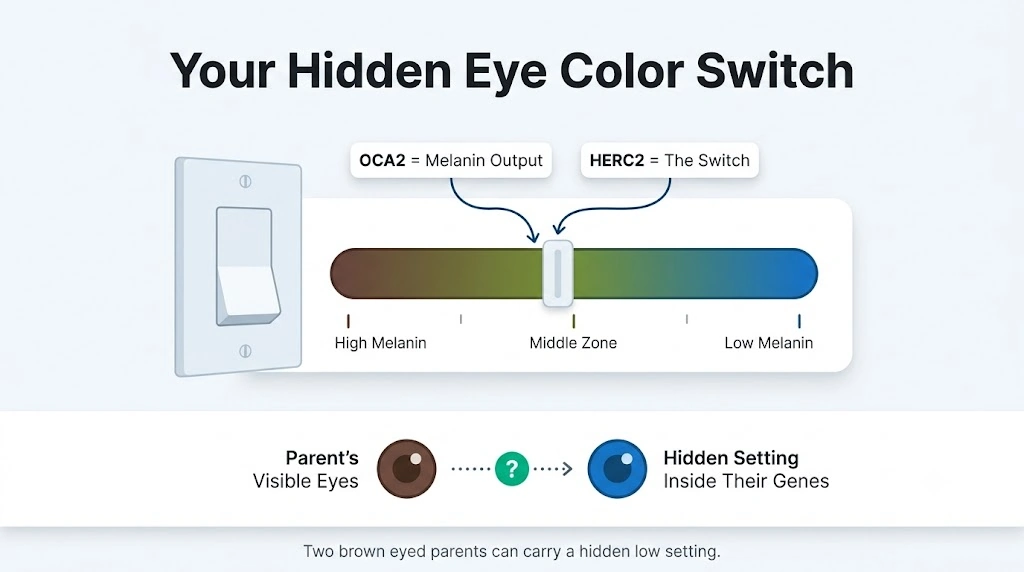
Micro Insight
Your eye color does not reveal every genetic variant you carry. Family history can add useful context, but it cannot prove a parent’s genotype or guarantee a baby’s final eye color. That is why this tool treats family details as model context, not genetic proof.
How Is Baby Eye Color Inherited?
Baby eye color comes from genetic variants inherited from both parents. These variants affect how much melanin develops in the iris. OCA2 and HERC2 have major roles, but many other genes also influence the final shade. That is why eye color does not follow a simple brown-dominant, blue-recessive rule.
Think of eye color as a combined genetic trait, not one gene winning. Some inherited variants affect melanin production strongly. Others make smaller changes. Different combinations can produce brown, blue, green, hazel, grey, or shades between them.
Imagine a brown-eyed mother and green-eyed father whose relatives have several eye colors. Their baby could receive a combination neither parent’s visible eyes reveal. This helps explain why siblings can have different eye colors and why a baby’s eyes may resemble a grandparent. Recent parent discussions still show this exact confusion around unexpected blue, green, and hazel eyes.
What Does Your Baby Eye Color Result Mean?
Your result shows how the simplified 100Calc model divides its possible inheritance combinations. Brown, Green/Hazel, and Blue/Grey each receive a share.
The largest share becomes the headline result. It is a model estimate, not a clinically validated chance that your baby will have that eye color.
Read All Three Percentages
Brown, Green/Hazel, and Blue/Grey make up the full result. Together, they total 100%.
The highest percentage means that color appears most often in the model’s retained combinations. Smaller percentages still matter. They show other outcomes the simplified model kept possible.
A 0% result does not prove an eye color is biologically impossible. A 100% result does not guarantee your baby’s final color. Real eye-color inheritance involves many genes and is more complex than a simple dominant-versus-recessive rule.
Is Your Result Good or Bad?
There is no good, bad, or normal score here. Eye color is simply a physical trait.
A large gap between colors means one category dominates within this model. A close result means the model retains several competing outcomes.
Do not treat a higher percentage as genetic certainty. It only tells you how the calculator distributed the simplified inheritance combinations it tested.
Why Family Context Can Change the Result
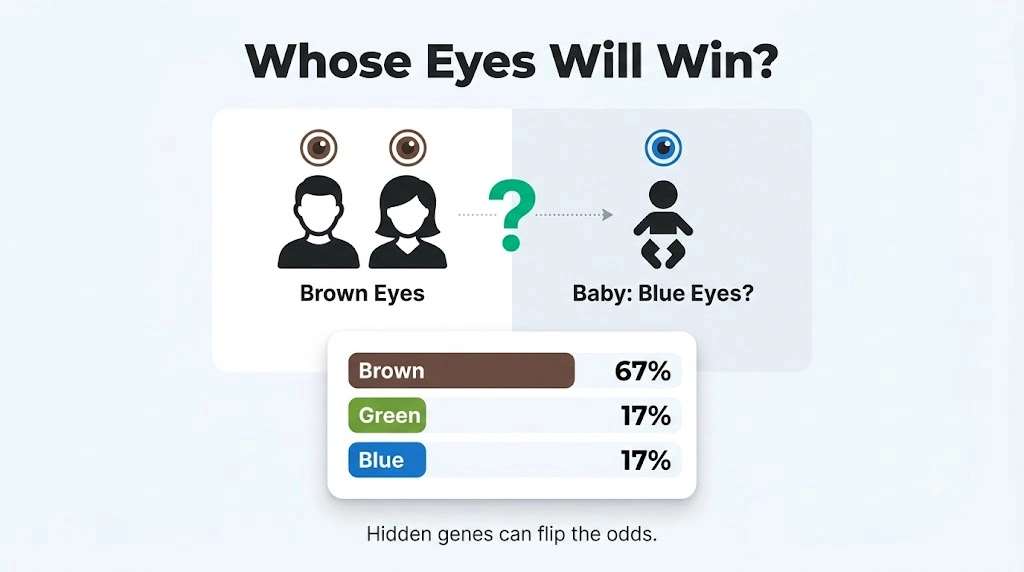
Grandparent or sibling information can narrow the model’s possible inheritance states. That may change the percentage spread.
Use family details when you know them with reasonable confidence. Do not use the result to identify someone’s actual genotype, confirm parentage, or prove that a hidden gene exists.
Sibling Context sample
- Mother: Brown
- Father: Brown
- Existing biological child: Blue/Grey
- Brown: 75%
- Green/Hazel: 0%
- Blue/Grey: 25%
The Blue/Grey child narrows both Brown parents to model states containing b. It does not prove either parent’s real genotype.
Quick Example to Test
Try Parents Only with both parents set to Brown.
Your result should show:
- Brown: 89%
- Green/Hazel: 8%
- Blue/Grey: 3%
Brown becomes the headline result because it has the largest model share. Green/Hazel and Blue/Grey remain in the breakdown because the simplified Brown category includes several possible inheritance states.
Check the full spread instead of stopping at 89%. If you know all four grandparents’ eye colors, compare the result with the Parents + Grandparents mode.
Edge note: If two or more colors tie for the highest percentage, the current calculator chooses the headline in this order: Brown, Green/Hazel, Blue/Grey.
How to Use the Baby Eye Color Calculator
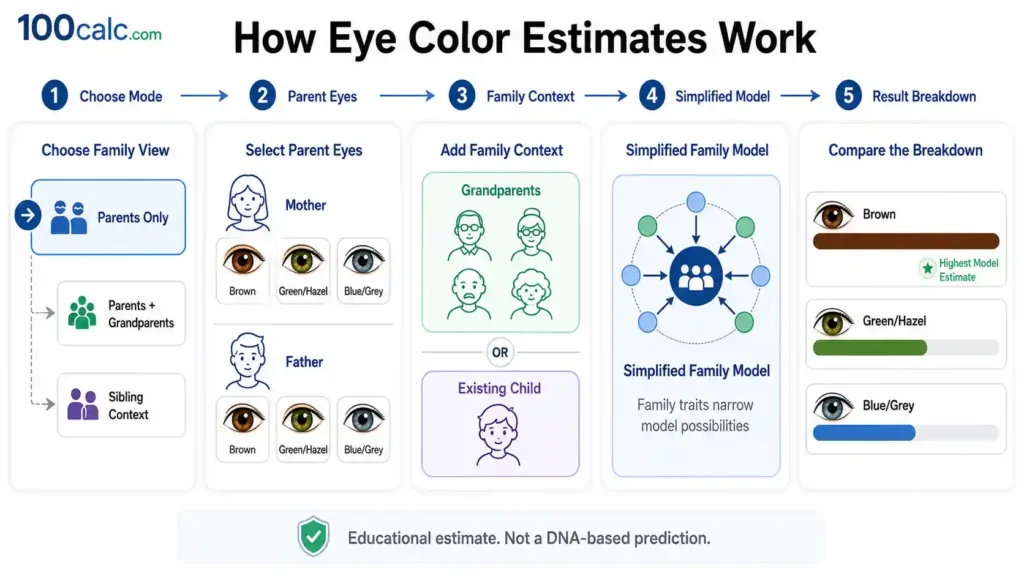
The Baby Eye Color Calculator uses both parents in every estimate. Choose how much family information to include, select the closest visible eye colors, and calculate. The tool maps those choices to simplified inheritance states, applies any family context, then shows Brown, Green/Hazel, and Blue/Grey estimates.
Choose Family Information
Select Parents Only, Parents + Grandparents, or Sibling Context. Parents Only uses just the biological parents. Grandparent mode adds a three-generation family view. Sibling Context uses one existing biological child. Your choice tells the model which family details it should use when narrowing its possible inheritance patterns.
Select Both Parents
Choose the closest visible eye-color category for the biological mother and father. Pick Brown, Green/Hazel, or Blue/Grey. Both parents are required in every mode. Behind the scenes, each selected color maps to a set of possible simplified inheritance states used by the model.
Add Family Context
Using Parents + Grandparents? Enter the eye colors of all four grandparents. Using Sibling Context? Add one existing biological child's eye color. This extra information may narrow the model's possible parental states. It provides family context, but it does not reveal or prove anyone's actual genotype.
Calculate the Estimate
Tap Calculate Eye Color Estimate after completing the required selections. The calculator compares the remaining maternal and paternal model states and groups their possible outcomes into three categories. It then converts those model combinations into whole percentages that total 100%.
Read the Full Breakdown
Review Brown, Green/Hazel, and Blue/Grey together. The largest share appears as the Highest Model Estimate, while the other colors remain visible in the breakdown. Do not stop at the headline number. The full distribution gives a clearer picture of what the simplified family-history model produced.
Quick Example to Test
Try these selections in the calculator:
- Family Information: Parents Only
- Mother’s Eye Color: Green/Hazel
- Father’s Eye Color: Blue/Grey
Result:
- Green/Hazel: 75%
- Blue/Grey: 25%
- Brown: 0%
The Highest Model Estimate is 75% Green/Hazel.
In this simplified model, the Green/Hazel parent can contribute more than one possible inheritance pattern. The Blue/Grey parent has a narrower model pattern. After those possibilities are crossed, Green/Hazel appears in six of eight combinations and Blue/Grey appears in two.
That gives a 75% Green/Hazel and 25% Blue/Grey model distribution. It does not mean a real baby has a clinically proven 75% chance of green or hazel eyes.
Enter your own family eye colors above and compare all three percentages, not just the highest result.
Accuracy and Method Behind the Baby Eye Color Calculator
The Baby Eye Color Calculator uses a fixed educational model, not random percentages or hidden AI scoring. Visible family traits map to simplified B/G/b states, then the model processes every remaining combination consistently. The same inputs produce the same result. No validated accuracy percentage is claimed because real eye color is polygenic and more complex.
Key Features & Benefits
- Three family modes: Compare Parents Only, Parents + Grandparents, or Sibling Context.
- Consistent color groups: Hazel stays with Green/Hazel, while grey stays with Blue/Grey.
- Family filtering: Extra family traits can narrow the simplified model states used in calculation.
- Full result breakdown: Every estimate shows Brown, Green/Hazel, and Blue/Grey together.
- 100% normalization: Displayed whole percentages are adjusted to total exactly 100%.
Technical Process
Trait Mapping
Each visible eye-color category maps to its allowed simplified B/G/b states. These symbols belong only to the educational model and are not a person's measured genes.
Context Filtering
Grandparent or sibling information can remove model states that do not fit the selected family pattern. This narrows model possibilities without identifying anyone's real genotype.
Combination Count
Every retained maternal state crosses with every retained paternal state. Outcomes are counted by color, converted to percentages, and normalized so the displayed total equals 100%.
How the Baby Eye Color Calculator Formula Works (Complete Breakdown)
The Baby Eye Color Calculator formula starts with possible model states for each parent’s visible eye color. Family context may narrow those states. The remaining maternal and paternal states are crossed, grouped as Brown, Green/Hazel, or Blue/Grey, then converted into percentages that total exactly 100%.
Base Model States
The model starts by assigning each visible eye-color category a fixed set of possible states.
					Brown = {BB, BG, Bb}
Green/Hazel = {GG, Gb}
Blue/Grey = {bb}
B, G, and b are 100Calc model symbols. They are not literal human eye-color genes or measured genotypes. Each possible state starts with equal weight unless family context removes it.
Child Pair Formula
Each retained mother state is compared with every retained father state. One symbol from each parent forms a possible child pair.
					Child Pair = 1 Symbol from Mother + 1 Symbol from Father

Total Combinations = 4 × M × F
Each parent state contains two symbols. One maternal state crossed with one paternal state creates four possible combinations.
M is the number of maternal states left after any filtering. F is the number of paternal states left.
Classification Rule
Each child pair is placed into one of the calculator’s three visible eye-color groups.
					If B is present -> Brown
Else if G is present -> Green/Hazel
Else -> Blue/Grey
The order matters. A pair containing B goes to Brown. Without B, any pair containing G becomes Green/Hazel. A pair with neither falls into Blue/Grey.
These rules describe the 100Calc model only. They should not be read as the full biology of human eye-color inheritance.
Percentage Formula
After every retained combination is classified, the calculator counts how many fall into each color group.
					Raw Color Percentage =
(Color Combination Count ÷ Total Combination Count) × 100
The same calculation runs for Brown, Green/Hazel, and Blue/Grey.
A color with six matches from eight total combinations would have a raw model share of 75%.
Whole-Percentage Normalization
Displayed percentages must total exactly 100%. The calculator does not round all three values separately.
It uses this process:
- Remove the decimal part from each raw percentage.
- Add the three whole numbers.
- Find how many points are missing from 100.
- Rank colors by their remaining decimal parts.
- Give missing points to the largest remainders.
- Stop when the displayed total reaches 100%.
This prevents results such as 101% caused by normal independent rounding
Sibling Context Rules
Sibling Context uses an existing biological child’s visible eye color to filter the parents’ possible model states.
Blue/Grey Child
Keep parental states containing b
A Blue/Grey child removes parental model states without b. This narrows the simplified possibilities but does not prove either parent’s actual genotype.
Green/Hazel Child
Keep parental states containing G or b
Green/Hazel keeps a wider group of possible parental states. Any retained state must contain G or b under the calculator’s filtering rule.
Brown Child
No additional filtering
A Brown existing child leaves each parent’s current model-state set unchanged. The calculator gains no extra filtering information from this input.
Grandparent Context Rules
Grandparent mode checks whether each parent’s possible states fit the visible eye colors of that parent’s mother and father.
The model treats grandparent categories like this:
					Brown -> B, G, or b
Green/Hazel -> G or b
Blue/Grey -> b
Possible symbols from both grandparents are combined. Those combinations are compared with the visible-eye-color states already allowed for their child, who is one of the baby’s parents.
If no compatible state survives, the calculator returns to that parent’s original base state set. It does not produce an error or invent a new state
What Each Formula Variable Means
Each symbol and variable has one job inside the 100Calc model. B, G, and b describe simplified eye-color states, while M and F track how many parent states remain after family context is applied. These labels explain how the model builds its percentage breakdown. They do not represent measured DNA or real genetic test results.
B Model Symbol
B is the calculator’s Brown-classification symbol. Any generated child pair containing B is placed in the Brown result group. It is an internal model label, not the name of a real gene or tested genetic variant.
G Model Symbol
G represents the Green/Hazel category inside the simplified model. A pair containing G becomes Green/Hazel only when B is absent. Hazel and green share this category throughout the calculator.
b Model Symbol
b represents the Blue/Grey side of the model. A child pair becomes Blue/Grey when it contains neither B nor G. Grey and blue are combined into one result category.
M Maternal States
M means the number of possible mother states still available when combinations are calculated. Parents Only uses her full base set. Grandparent or sibling context may reduce that set before the cross begins.
F Paternal States
F means the number of father states remaining after the selected family context is applied. Like the mother’s set, it can stay unchanged or become smaller depending on the chosen mode and family eye colors.
Total Combinations
Total Combinations is every child pair generated from the retained maternal and paternal states. Since each state pairing creates four outcomes, the calculator uses:
Total Combinations = 4 × M × F
Color Combination Count
Color Combination Count is how many generated pairs fall into one result category. Brown, Green/Hazel, and Blue/Grey each receive their own count before those totals are converted into percentages.
How Do You Calculate Baby Eye Color?
Baby eye color can be estimated by comparing possible inheritance patterns from both parents. This calculator maps visible eye colors to simplified model states, applies any selected family context, counts the remaining child combinations, and converts them into Brown, Green/Hazel, and Blue/Grey percentages that total 100%.
What Can Brown Eyes and Blue Eyes Make in a Baby?
This pairing shows why one visible parent color does not create one fixed model result.
Input
- Family Information: Parents Only
- Mother’s Eye Color: Brown
- Father’s Eye Color: Blue/Grey
Process
The Brown parent starts with three possible model states. The Blue/Grey parent has one. Their retained states create 12 child combinations.
Result
- Brown: 66%
- Green/Hazel: 17%
- Blue/Grey: 17%
Meaning
Brown has the largest share in this simplified model. Green/Hazel and Blue/Grey tie at 17%. These percentages describe model combinations, not measured genetic odds.
What If One Parent Has Hazel Eyes, One Has Brown Eyes, and Their Child Has Blue Eyes?
An existing biological child’s eye color can change which parental states remain in Sibling Context.
Input
- Family Information: Sibling Context
- Mother’s Eye Color: Green/Hazel
- Father’s Eye Color: Brown
- Existing Biological Child: Blue/Grey
Process
The Blue/Grey child narrows both parents to model states containing the b symbol. This leaves one maternal state and one paternal state for the calculation.
Result
- Brown: 50%
- Green/Hazel: 25%
- Blue/Grey: 25%
Meaning
Brown leads at 50%, while Green/Hazel and Blue/Grey each hold 25% of the simplified distribution. The sibling adds model context but does not prove either parent’s real genotype.
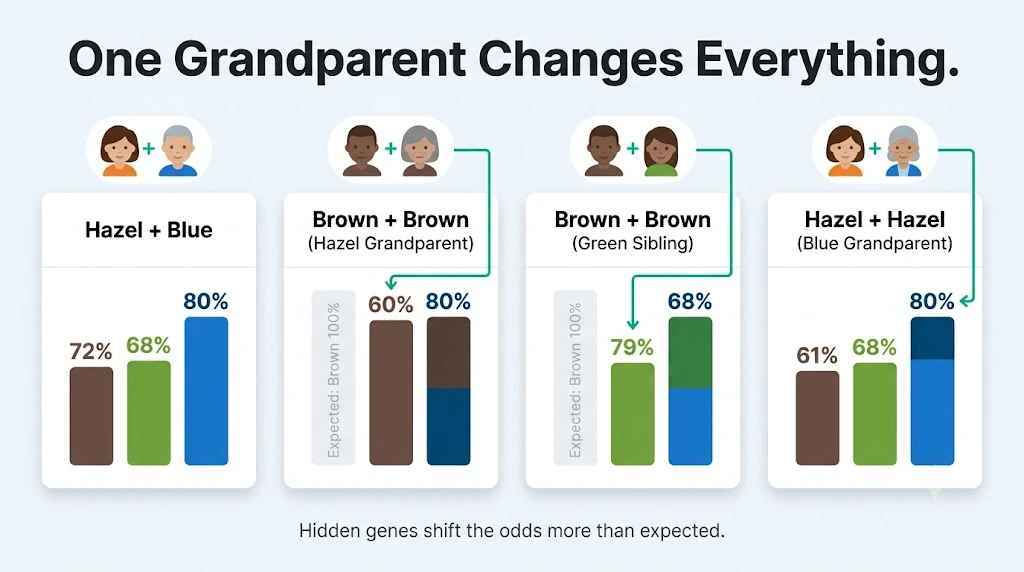
How Can Grandparents Change a Hazel and Brown Eye Color Estimate?
This case uses a three-generation family pattern with lighter eye colors on both sides.
Input
- Family Information: Parents + Grandparents
- Mother’s Eye Color: Green/Hazel
- Father’s Eye Color: Brown
- Maternal Grandmother: Blue/Grey
- Maternal Grandfather: Green/Hazel
- Paternal Grandmother: Green/Hazel
- Paternal Grandfather: Brown
Process
The maternal family pattern narrows the Green/Hazel parent to Gb. The paternal family pattern keeps BG and Bb for the Brown parent.
Result
- Brown: 50%
- Green/Hazel: 38%
- Blue/Grey: 12%
Meaning
Brown still leads, but Green/Hazel remains close at 38%. The grandparent information changes which simplified parent states stay in the model.
What Does the Model Show for Two Blue or Grey-Eyed Parents?
This is the simplest pairing inside the current 100Calc model.
Input
- Family Information: Parents Only
- Mother’s Eye Color: Blue/Grey
- Father’s Eye Color: Blue/Grey
Process
Both parents map only to the bb model state. Every generated child combination falls into the Blue/Grey category.
Result
- Brown: 0%
- Green/Hazel: 0%
- Blue/Grey: 100%
Meaning
Blue/Grey receives 100% of the combinations inside this simplified model. That does not guarantee a real baby’s final eye color because human eye-color inheritance involves more genes than this model represents.
Quick Rules to Remember
Use the family details you know with confidence. Compare all three percentages instead of treating the highest number as a guarantee. Parents are required in every mode. Grandparents and sibling context work separately, and great-grandparents are not included in the current version.
How to Read Baby Eye Color Calculator Percentages
A Baby Eye Color Calculator percentage shows how much of the simplified model falls into each eye-color category. These values are not confidence scores or medical probabilities. There is no good or bad result. Use the table to understand what 0%, partial percentages, 100%, and tied results mean.
| Range | Model Status | What It Means | What It Does Not Mean | Notes |
|---|---|---|---|---|
| 0% | Not Produced by Model | No retained model combination created this eye-color category. | It does not prove that color is biologically impossible. | Read 0% as a model result, not a genetic exclusion. |
| 1–99% | Present in Model | Some retained combinations produced this eye-color category. | It is not a clinically measured chance for your baby. | Compare its share with the other two displayed colors. |
| 100% | All Model Combinations | Every retained combination falls into this category. | It does not guarantee the baby's final eye color. | Real eye-color inheritance is more complex than this model. |
| Tied Highest % | Shared Lead | Two or more categories share the largest displayed percentage. | A tie does not make either color more biologically certain. | The headline follows Brown, Green/Hazel, then Blue/Grey tie order. |
| Total = 100% | Normalized Distribution | All three displayed percentages are adjusted to total exactly 100%. | The total does not represent scientific prediction accuracy. | Normalization keeps the whole-number breakdown consistent. |
Heads-up: These percentages describe the simplified 100Calc model. They are not DNA-based probabilities, national eye-color rates, or guarantees of a baby's final iris color.
Interpretation
There is no excellent, average, low, or bad baby eye color percentage. A larger number only means that category appears more often among the combinations retained by the model.
Look at the complete Brown, Green/Hazel, and Blue/Grey spread. Do not compare these values with U.S. eye-color prevalence or treat a high percentage as genetic certainty.
Pro Tip
Pay attention to how far apart the three percentages are, not just the winner. If you know all four grandparents’ eye colors, compare the Parents Only result with Parents + Grandparents. A change shows how family context affected the simplified model, not that one result is medically more accurate.
What Should You Do After Checking Your Baby’s Eye Color Estimate?
A Baby Eye Color Calculator result is not something you need to improve. Use it to compare family-history patterns and understand the model’s spread. Your next step depends on whether one color leads, family context changes the result, or your newborn’s current eye color looks different from the estimate.
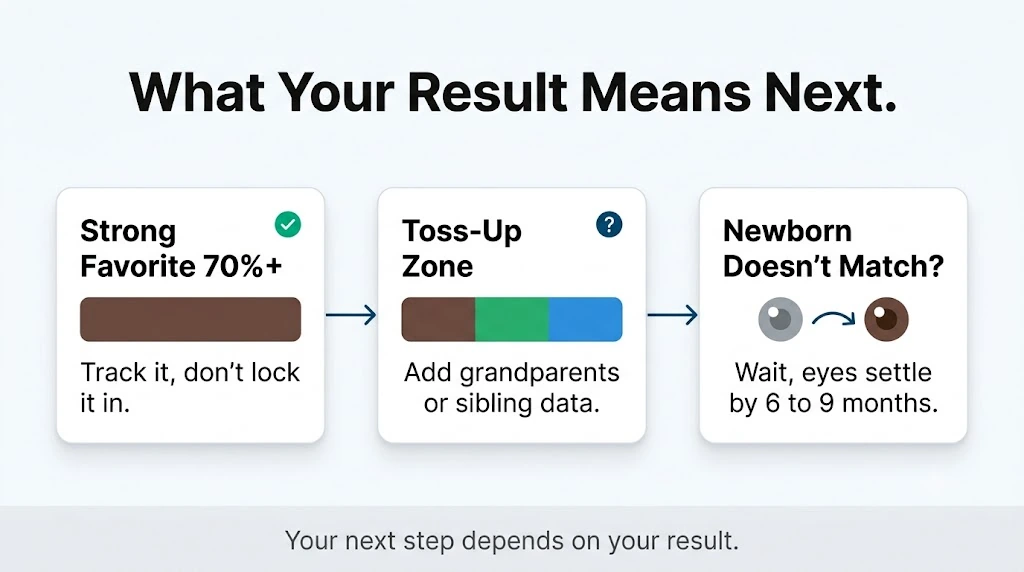
If One Eye Color Clearly Leads
Treat the highest percentage as the model’s leading category, not a prediction you need to act on. A large lead only means more retained combinations produced that color.
Compare it with the other two percentages. A 100% model result still does not mean the real outcome is guaranteed.
If you know all four grandparents’ eye colors, compare Parents Only with Parents + Grandparents. A change shows how family history affects the model. It does not prove the second result is more genetically accurate.
If Family Context Changes Your Result
A different result after adding grandparents or a sibling is normal within this model. Extra family information can remove some simplified inheritance states and change the percentage spread.
Use Sibling Context only when the existing child is the biological child of the same two parents. Enter the child’s settled visible eye color rather than an early newborn shade.
Do not treat a sibling result as proof of either parent’s genes. Real eye color involves many genetic variants, so relatives can have different visible colors.
If Your Newborn’s Eyes Do Not Match the Estimate
Give the eyes time before deciding the calculator was right or wrong. Newborn eyes can look blue, grey, or unclear while iris pigmentation is still developing.
Color changes often continue during the first year. The American Academy of Pediatrics notes that plenty of change can remain after six months, and final color can be hard to call before the first birthday.
Compare photos taken several months apart in similar lighting if you want to track the change. Recent parent discussions show that blue-grey, green, hazel, and brown tones may become clearer at very different ages.
You Might Also Find These Helpful
Pregnancy & Fertility 45
Use this Pregnancy Risk Calculator to check age, BMI, health history, bleeding, and twins. See if closer prenatal monitoring may be worth asking about.
Try calculatorOne Time Pregnancy Calculator estimates pregnancy odds from one encounter, plus fertile window timing, test date, due date, and 21-day testing guidance.
Try calculatorUse the AMH Calculator to convert ng/mL or pmol/L, compare your result with age-based data, and see what it may mean for IVF, fertility,…
Try calculatorBasal Body Temperature Calculator checks reading conditions and analyzes your temperature pattern for a sustained shift that may be consistent with ovulation.
Try calculatorBPD gestational age calculator: estimate fetal age from BPD, compare your week, check normal BPD ranges, and understand ahead or behind results.
Try calculatorCalculate odds with the Chance of Twins Calculator. Enter maternal age and history. Find your probability instantly. See if you will conceive multiples now.
Try calculatorFind out exactly when you conceived. Our free Conception Calculator uses your Due Date, LMP, or Ultrasound to estimate your fertilization date and fertile…
Try calculatorUse our Conception Date Due Date Calculator to find your baby's arrival date. Enter your conception or intercourse date for clinical 40-week results.
Try calculatorContraceptive effectiveness calculator to compare birth control methods, typical vs perfect use, backup protection, and 5-year pregnancy risk.
Try calculatorUse this CRL calculator to estimate gestational age and due date from crown-rump length in mm or cm. Compare CRL, LMP, and IVF dating…
Try calculatorEstimate your monthly and 12-month pregnancy odds by age, partner age, and cycle dates. See your fertile window and when to seek fertility help.
Try calculatorUse this fundal height calculator to compare your cm measurement by week, check growth range, estimate baby weight, and know when to ask about…
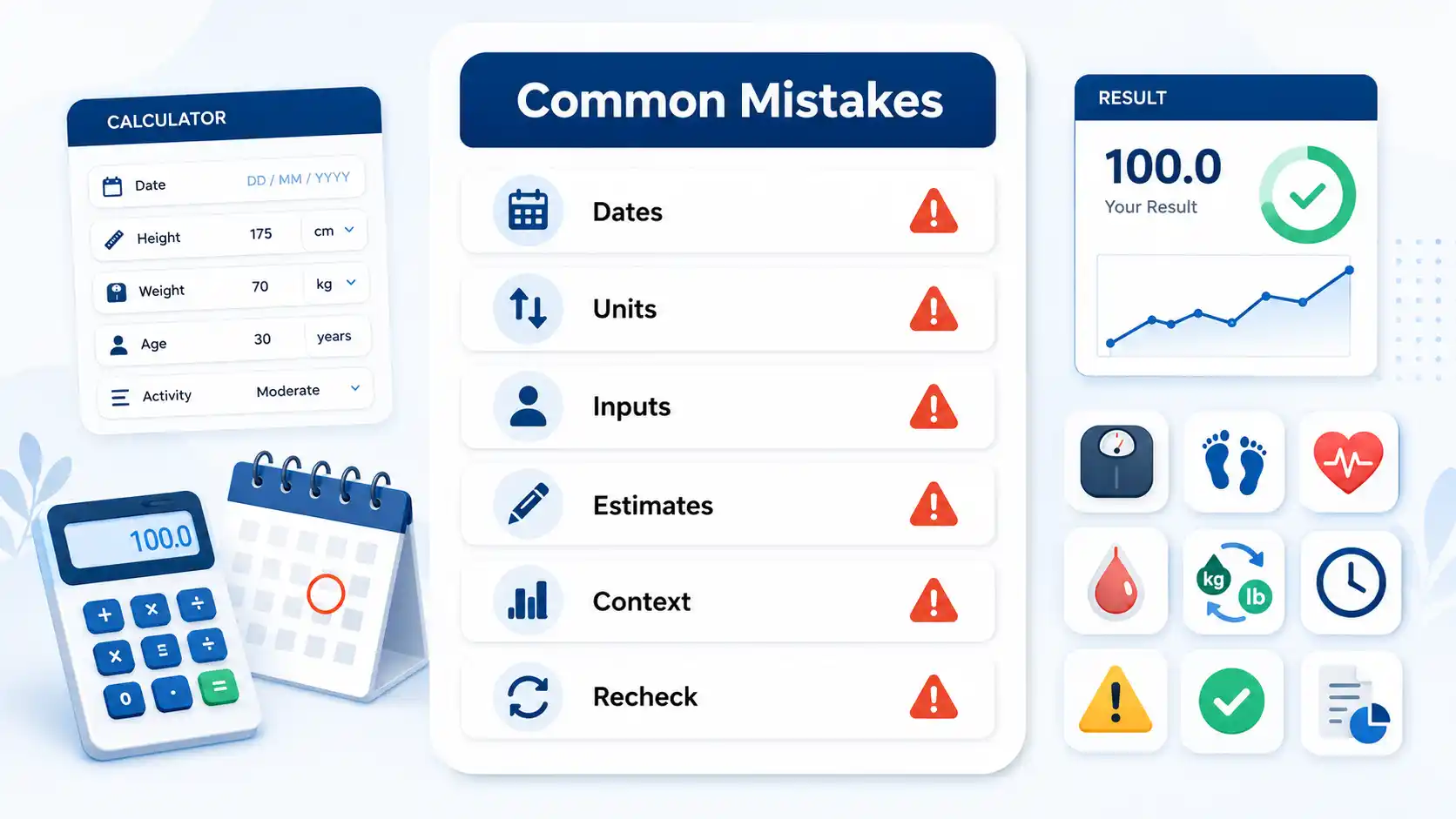
Try calculatorCommon Mistakes When Using the Baby Eye Color Calculator
Most inaccurate predictions come down to input mistakes, not calculator errors. A wrong eye color selection or a misread result can throw off the entire probability spread. Here are the mistakes that trip up most parents using this baby eye color predictor.
- Assuming brown eyes always win over lighter colors in every pairing
- Judging final eye color from newborn photos before melanin fully develops
- Guessing a grandparent's eye color from memory instead of checking old photos
- Treating the percentage result as a medical or paternity confirmation
- Focusing only on the top percentage and ignoring the full color breakdown
Frequently Asked Questions (FAQs)
Why do different baby eye color calculators give different percentages?
Different calculators use different genetic assumptions, color groups, and family-history rules. Some separate hazel and grey, while others combine them. Some also use ancestry or weighted genotype estimates. 100Calc uses its own fixed B/G/b educational model, so its percentages may differ from other tools.
Can two blue-eyed parents have a brown-eyed baby?
Yes, though it is uncommon. Real eye color depends on many genetic variants, so two blue-eyed parents are not guaranteed to have only blue-eyed children. The 100Calc simplified model gives Blue/Grey 100% for this pairing, which shows an important limitation of the model.
Can baby eye color skip a generation?
Eye color can appear to “skip” a generation when a child inherits a mix of variants not visible in either parent. Grandparents may show those family traits more clearly. This does not mean one hidden eye-color gene simply jumps generations. Real inheritance involves several interacting genes.
Does ethnicity or ancestry affect a baby eye color estimate?
Ancestry can affect how common certain eye-color variants are in different populations. However, the 100Calc model does not use ethnicity or ancestry as an input. Its result comes only from the selected parent eye colors and the family-information mode you choose.
Can the calculator predict amber eyes or heterochromia?
No. The current calculator reports only Brown, Green/Hazel, and Blue/Grey. Amber is not calculated separately, and heterochromia is outside the model. If a child has two clearly different eye colors or a sudden color change, discuss it with a pediatrician or eye doctor.
Why does my baby’s eye color look different in photos or lighting?
Lighting can make the iris look lighter, darker, greener, or more grey without changing its actual pigment. Camera settings, shadows, and pupil size also affect appearance. This is why one photo is a poor way to judge a baby’s final eye color, especially during infancy.
Can I use the Baby Eye Color Calculator before my baby is born?
Yes. The calculator only needs visible eye colors from the biological parents and any family context selected. It does not require a newborn photo or the baby’s current eye color. This makes it usable during pregnancy, but the output remains an educational model estimate rather than a prediction guarantee.
What should I enter if a parent has mixed, hazel, or unusual eye color?
Choose the closest overall visible category. Use Green/Hazel when the iris is mainly green or hazel. Use Blue/Grey when it is mainly blue or grey. The current model does not separate amber, central heterochromia, or other mixed iris patterns into their own result categories.
Questions?
We had love to hear from you! Whether you are reporting an issue, suggesting a new calculator, or exploring collaboration opportunities — we are here to help. Every message helps us make 100calc smarter, faster, and more helpful for everyone.
Why People Trust 100calc
At 100calc.com, we focus on accuracy, speed, and trust. Every calculator we create is designed to give reliable, instant, and easy-to-understand results you can truly depend on.